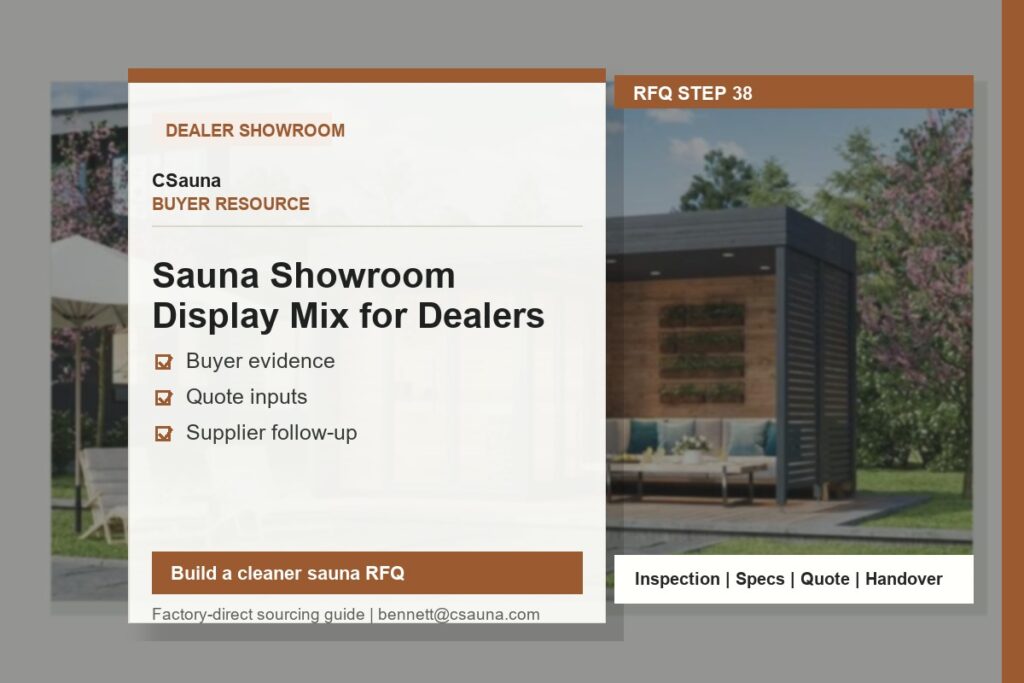
A sauna showroom should help a buyer compare a small number of clearly different directions. It is not a warehouse display and it does not need to represent every model. A useful first mix shows the kind of room a dealer can explain, the questions that still need confirmation, and the evidence needed before a model is quoted or reordered.
Start with the sales conversation, not the product count
Before selecting a display unit, record the target customer, the available showroom space, the intended sales role, the local installation route, and the service capacity of the dealer. A private garden buyer, a hotel project contact, and a distributor evaluating a repeat order do not use the same comparison. Avoid filling the floor with near-identical models that create questions without providing a clear decision route.
Build a focused first display mix
| Display role | What the unit should help explain | Information to keep with it |
|---|---|---|
| Primary outdoor or cabin reference | Overall room proportion, bench arrangement, door and glass direction, finish expectation, and visitor experience. | Model reference, visible configuration, drawing revision where available, and the items still subject to order confirmation. |
| Compact or barrel comparison | A distinct size or form factor for buyers who are comparing footprint, appearance, and intended use. | Site-fit questions, access route, installation considerations, and the model-specific quote file. |
| Material and finish sample | Wood tone, grain, exterior protection, glass, roof, hardware, or lighting direction without representing it as a universal specification. | Species or finish reference, origin or document evidence where supplied, maintenance discussion, and final selection status. |
| Heater and control reference | The type of technical discussion that needs to happen before a buyer selects a package. | Destination, local electrical requirements, selected heater package, controller scope, and qualified local installation review. |
Give each display a simple comparison card
Use one card per unit. It should identify the model reference, the visible design direction, the intended buyer use, and the open items. It should not imply that every visible accessory, heater, finish, approval, or dimension is included in every order. If a buyer needs an exact configuration, keep the current model reference and revision notes together with the request.
For a concise product starting point, use the product library. Wood, roof, glass, lighting, heater, and accessory directions can be reviewed in the materials and accessory options library.
Prepare the handover file before the display opens
| Record | Why it is useful | Owner to keep it current |
|---|---|---|
| Model and configuration record | Prevents a sales conversation from being carried forward using an old model reference or an assumed feature. | Dealer sales owner with the buyer/project contact. |
| Question and objection log | Shows which details buyers repeatedly ask about: fit, material, heater, installation, packaging, maintenance, or service. | Showroom team. |
| Site and installation notes | Keeps access, local services, responsible installer, approvals, and project restrictions visible before a quote is discussed. | Buyer/project representative and qualified local parties. |
| Service and support record | Connects product questions with manuals, maintenance evidence, spare-parts planning, and the escalation route. | Dealer service owner. |
| Reorder review | Separates actual buyer interest from assumptions made when the display was selected. | Dealer or distributor purchasing owner. |
Use feedback to change the next display or order
Review the buyer questions, model references requested, site constraints, service issues, and follow-up outcomes at a regular interval. A display that produces useful comparison conversations may be more valuable than one that receives attention but cannot be quoted or supported clearly. Replace overlap with a clearer comparison only after the records show what buyers are actually trying to decide.
Keep commercial and technical commitments separate
A showroom guide does not confirm price, MOQ, stock status, lead time, electrical suitability, local compliance, installation method, warranty scope, or final product configuration. These items must be confirmed for the selected model, destination, buyer role, and order file. Local qualified parties remain responsible for site-specific design, installation, code, permit, and approval requirements.
What to bring to a model discussion
Bring the model reference, destination, intended buyer use, proposed quantity, site or showroom dimensions, preferred material direction, heater questions, and any relevant drawings or photos. That gives the sales and project teams a usable starting record without treating a display model as a finished specification.
Working file preview: showroom display card
Every unit on the floor should have one current card and one matching internal record. The public card lets a visitor understand why the unit is displayed. The internal record keeps the team from quoting a remembered configuration after the visible model, samples, or options have changed.
| Card field | Show on the floor | Keep in the internal record |
|---|---|---|
| Reference identity | Model or showroom reference and the visible sauna direction. | Current image set, model/drawing revision and date of last review. |
| Buyer fit | The comparison it helps a visitor make: compact footprint, outdoor form, material direction, glass/door layout, or commercial discussion. | Questions it is not intended to answer without further review. |
| Visible configuration | What visitors can see: wood/finish direction, glass, benches, exterior, lighting or accessories. | Which visible items are reference-only, optional, or no longer current. |
| Project questions | A short note that exact dimensions, heater route, voltage, site fit, packing and destination are confirmed for the selected order. | Latest product, packing, document and service notes linked to the reference. |
| Follow-up record | A model/reference code a visitor can quote back to the dealer. | Buyer interest, site constraints, questions asked, named owner and next action. |
Place each display where it supports a decision
Arrange the floor as a comparison route, not a line of similar cabins. Start with the display that best explains the dealer’s most common buying conversation. Place a visibly different comparison beside it: for example, a different outdoor form, a compact indoor direction, or a material and finish station. Keep samples where they can be handled and discussed without making a sample board look like a final product specification.
| Display zone | Buyer decision supported | Useful accompanying material |
|---|---|---|
| Arrival view | Overall brand direction, intended buyer type and the starting model family. | One clean comparison card and an uncluttered sightline. |
| Primary model | How a user enters, sits, sees the interior and understands visible materials. | Model reference, open configuration questions and current product imagery. |
| Contrast model | How a different footprint, form, glass layout or use case changes the decision. | Side-by-side explanation of differences rather than a second generic sales claim. |
| Material station | Wood/finish tone, grain, exterior treatment, roof, glass, hardware and lighting choices. | Species/finish labels, available source evidence and maintenance discussion notes. |
| Project desk | What information a buyer should bring before requesting an order-specific review. | Brief register, site-photo examples, current drawing or packing question list. |
Measure the quality of conversations, not footfall alone
Record which display was discussed, what the visitor was trying to decide, the model reference requested, the site or destination constraint, and the next promised review. This gives the dealer a defensible reason to keep, replace, or re-label a display. Avoid treating casual attention, a photograph taken by a visitor, or a verbal price question as proof of demand for a specific SKU.
Monthly showroom review checklist
- Check that every display card names the correct model/reference and visible configuration.
- Remove old images, discontinued labels, unsupported technical claims and unverified certificate wording.
- Compare recurring buyer questions with the current cards, material labels and product information.
- Confirm that samples, product images, drawing versions and packing notes have clear scope labels.
- Review open buyer records before the next campaign, event or replenishment discussion.
- Assign one owner for card updates so a showroom change does not leave stale sales information on the floor.
Commercial and project boundary
A showroom display is a comparison tool, not a final offer. Price, MOQ, stock status, lead time, final configuration, electrical suitability, local compliance, installation method, warranty scope, shipping, and site suitability must be confirmed for the selected model, destination, buyer role, and order file. Buyers and qualified local professionals retain responsibility for local project, installation, code, permit, safety, and approval decisions.