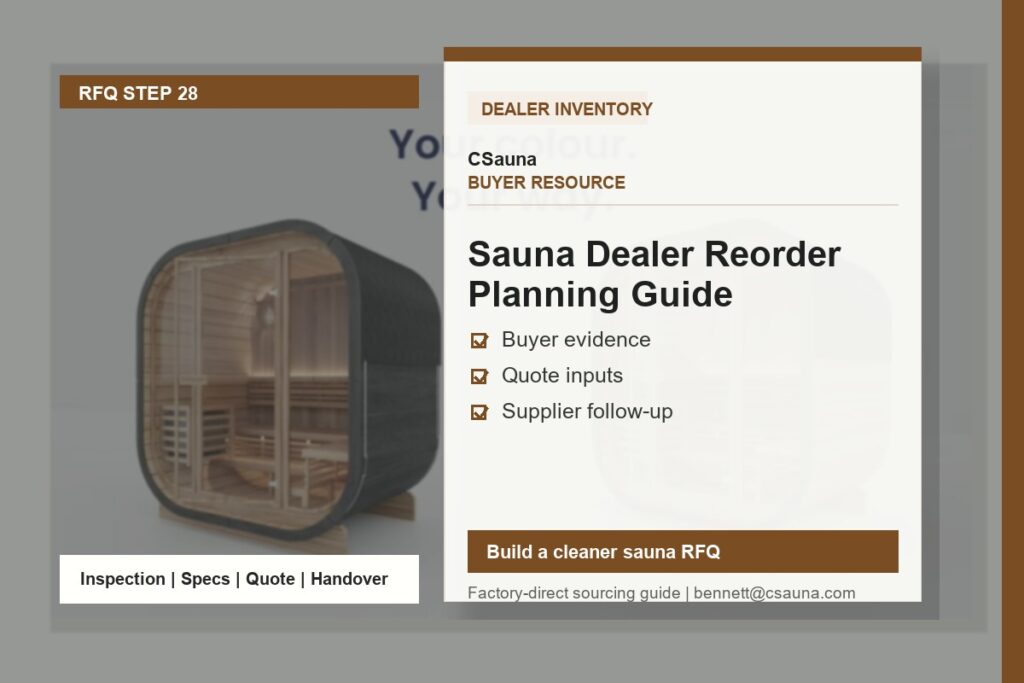
A dealer reorder should begin with the models and service needs that have already been observed in the market. The purpose is not to copy the previous order automatically. It is to create a clear buyer file that connects sell-through, showroom feedback, delivery experience, service questions, destination needs, and the selected product references for the next order.
Start with confirmed demand signals
Review each model family separately. A product that attracts attention in a showroom is not always the same product that is ready for repeat purchasing. Record completed sales, active project discussions, recurring buyer questions, installation constraints, feedback on finish or layout, and any service observations. Keep the model reference beside each record so the team is reviewing the same configuration.
Separate established models from new directions. Established models may have a known buyer profile and a clearer support history. A new model, wood option, or configuration should be recorded as a deliberate test rather than quietly treated as a replacement for a proven SKU.
Build a reorder file before discussing quantities
| Planning area | What to record | Why it matters |
|---|---|---|
| Model reference | Exact product page or selected model code, plus the intended configuration. | Prevents a reorder discussion from drifting between similar-looking models. |
| Demand evidence | Completed sales, qualified buyer interest, showroom feedback, or project status. | Shows which models have a practical reason to be included. |
| Destination and delivery | Market, delivery terms to be discussed, receiving plan, and any site or document questions. | Keeps logistics and buyer requirements visible before packing is planned. |
| Service record | Questions, replacement needs, installation feedback, and documentation gaps from prior units. | Turns support experience into a controlled improvement item. |
| Owner and timing | The person responsible for confirming each open question and the target review date. | Avoids an order moving forward with unresolved notes. |
Protect the models that already work
For a working model, preserve the configuration that was actually approved: model reference, finish direction, door or glass layout, heater route, packaging notes, and any market-specific document request. If the buyer team wants to revise one of these points, record it as a new configuration review. This makes the next order traceable and gives the dealer a clearer basis for answering customer questions.
Use service feedback as reorder input
Reorder planning is also a moment to collect service information. Ask which questions appeared after delivery, which parts or instructions buyers requested, and whether receiving or installation records were complete. The purpose is not to promise a universal spare-parts package. It is to make sure the dealer records the actual support needs of the selected models and destination market.
Reorder decision worksheet
| Decision stage | Buyer team action | Record for the next handoff |
|---|---|---|
| Review | Compare active demand, display feedback, and service notes by model family. | Shortlist of selected references and open questions. |
| Confirm configuration | Check model, finish, door direction, heater route, packaging, and destination notes. | Approved configuration record or a specific revision request. |
| Plan delivery | Confirm receiving contact, delivery route, unloading expectations, and document needs. | Delivery and handoff notes for the selected order scope. |
| Close open items | Assign owners to unresolved model, document, or service questions. | Clear list of confirmed items and items still pending local review. |
Review the file at a regular business rhythm
The most useful reorder record is maintained before a decision is urgent. A dealer can review active models at a regular interval and update the same file with new sales evidence, current display feedback, delivery experience, and service notes. This makes it easier to see whether a proposed reorder is supporting the existing range or introducing a change that needs a separate model review.
The review does not need to predict every future sale. Its purpose is to make the decision trail visible: why a model is being considered, what configuration is intended, which questions remain open, and who owns the next confirmation. That record is useful to purchasing, sales, service, and project teams even when they do not work from the same location.
Give each team the same reference point
Before the final order discussion, share the selected model references and current questions with the people who will receive, support, sell, or install the products. Sales teams may identify buyer preferences; service teams may identify recurring handoff questions; and the receiving team may need packaging or delivery notes. One shared file is more reliable than separate messages based on different photos or model names.
Keep the final order scope specific
A reorder file should not treat a product family as one fixed specification. Final model availability, options, packaging, documents, lead time, and commercial terms should be confirmed for the selected order scope. Keeping this confirmation step visible protects both the dealer and the customer from assumptions based on earlier samples, photos, or a different model revision.
For current model references, use the sauna product library. For wood, roof, glass, lighting, and accessory directions that may affect a configuration review, see the materials and accessory options.
Working file preview: dealer reorder plan
A reorder plan works best as a dated decision file, not a generic promise of availability. Use it to compare the models a dealer can support, actual sales and quotation signals, showroom commitments, open customer projects, current inventory, and the information still needed before an order is placed. It does not guarantee lead time, price, capacity, freight space, or final order acceptance.
| Planning field | What to capture | Decision use |
|---|---|---|
| Review period | Planning date, market, channel, season or campaign context, and named planner. | Prevents old demand signals from being treated as current demand. |
| Model reference | Exact model/configuration, wood or finish direction, heater route, capacity, and any market-specific requirement. | Separates a visual reference from a quote-ready selection. |
| Demand evidence | Confirmed orders, deposits where applicable, active quotations, showroom commitments, repeat requests, and lost-sale notes. | Shows the strength and source of each reorder signal. |
| Inventory position | On-hand units or parts, reserved stock, display units, inbound items, condition, and storage constraints. | Avoids double-counting stock that is already committed. |
| Supply questions | Current configuration confirmation, material route, packing, documentation, production slot, and shipping questions. | Lists what must be confirmed before making a customer commitment. |
| Order recommendation | Proposed quantity, reason, risk level, decision owner, and the condition that changes the recommendation. | Creates an auditable decision rather than a forecast claim. |
Use demand signals with their source
- Separate confirmed customer orders from informal enquiries, showroom interest, and marketing leads.
- Record the model reference and configuration requested rather than grouping unlike products under one family name.
- Note whether a request depends on a particular wood, voltage, heater, glass, packing, label, or market route.
- Keep display stock and customer-reserved stock distinct from saleable inventory.
- Record why a quotation did not convert when that reason affects the next selection or quantity.
- Flag any signal that needs local compliance, site, electrical, installation, or commercial review before it becomes an order proposal.
Reorder decision gates
| Gate | Question to answer | Evidence for the file |
|---|---|---|
| Product fit | Is the proposed model and configuration consistent with the target buyer and intended market? | Current model reference, selected options, and customer or showroom use case. |
| Commercial fit | Does the proposed quantity reflect confirmed and qualified demand rather than a broad assumption? | Order, quote, reservation, sales history, or documented dealer judgement. |
| Operational fit | Can the dealer store, show, deliver, install, and support the selected units? | Storage plan, showroom allocation, service route, and destination notes. |
| Supply confirmation | Which details require current confirmation before a price, delivery, or availability promise is made? | Configuration question list and dated response record. |
| Order file | Who approves the quantity and which assumptions must be retained with the order? | Named decision owner, version date, and open-point log. |
Review after the order cycle
After each period, compare the plan with actual order mix, quotation outcomes, stock turns, service questions, delivery experience, and products that remained unsold or unavailable. Use that review to improve the next selection, not to claim a universal reorder formula. The catalog can support model comparison; final configuration, MOQ, commercial terms, production, packing, and shipping remain subject to current case-specific review.